Cashier-operated POS
A colleague-led checkout for everyday retail transactions.
THE QPOS PLATFORM
From serving the next customer to understanding the day’s trading, QPOS brings the essential parts of retail into one platform.
Cashier-operated POS and self-checkout support different ways to shop. Product and barcode management helps colleagues find and scan items, while customer displays and receipt printing complete the checkout experience.
A colleague-led checkout for everyday retail transactions.
A self-service checkout option for customers.
Manage the products and barcodes used throughout the store.
Support promotions and loyalty, then handle what happens after the sale with refunds, exchanges and store credit.
Bring promotional offers and loyalty into your retail workflows.
Handle returns and exchanges as part of the customer journey.
Support store credit within your retail operation.
Use back-office reporting to review store activity, connect transactions with CCTV, and support colleagues with the scanning app.
Review trading activity beyond the till.
Connect transaction information with compatible CCTV setups. Confirm requirements with Qfinita.
Support in-store scanning tasks through the colleague app.
QPOS supports offline-capable operation.
Offline availability depends on the workflow and setup. Card payment availability is separate and depends on the payment provider, terminal and connectivity requirements. Confirm offline behaviour and recovery requirements with Qfinita for your deployment.
INSIDE QPOS
A closer look at cashier checkout, self-checkout and colleague assistance.
Actual QPOS development screenshots supplied by Qfinita. All transactions, products and amounts shown are test examples. Screens may change before deployment. Select any image to view it full-size.
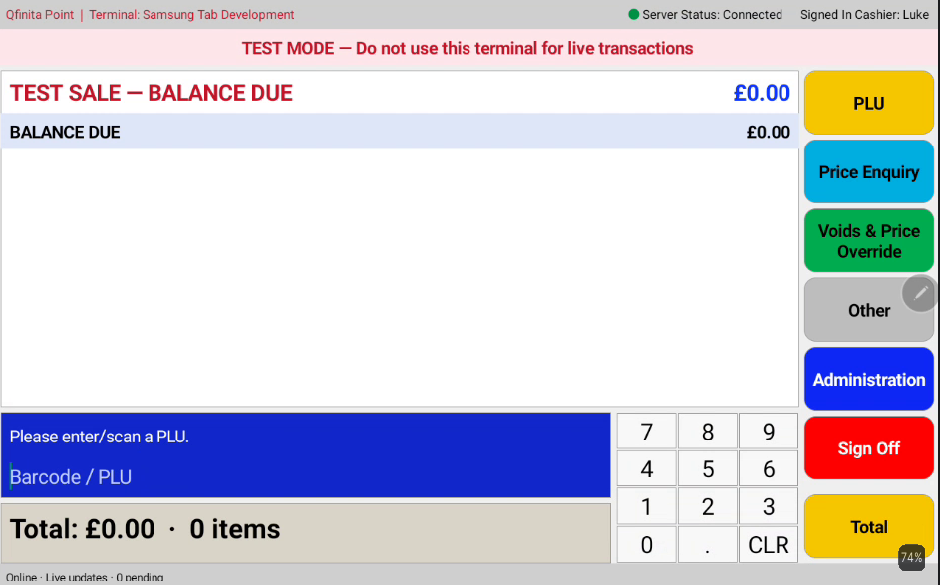
The cashier workspace, with barcode entry, price enquiry and checkout controls.
View full-size screenshot ↗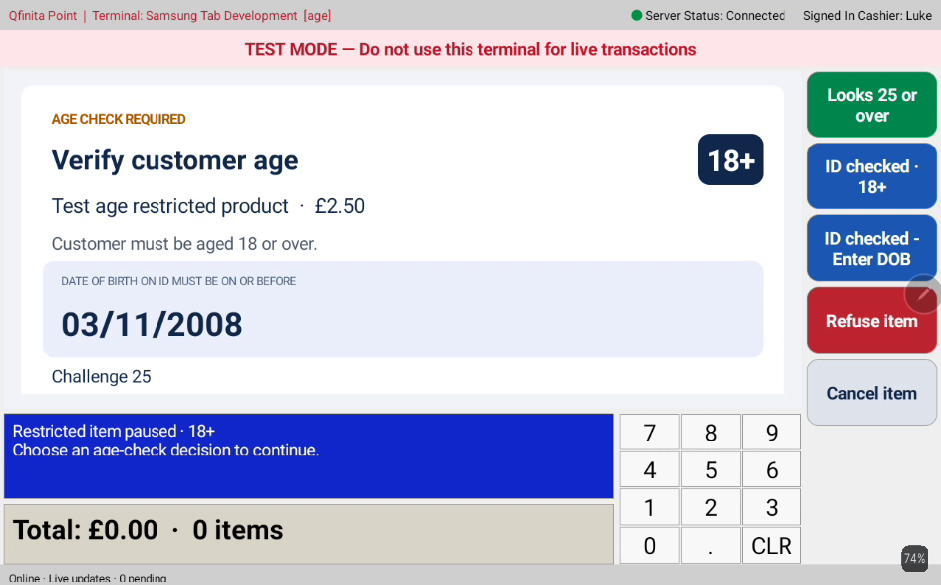
A test restricted item pauses for a colleague’s age-check decision.
View full-size screenshot ↗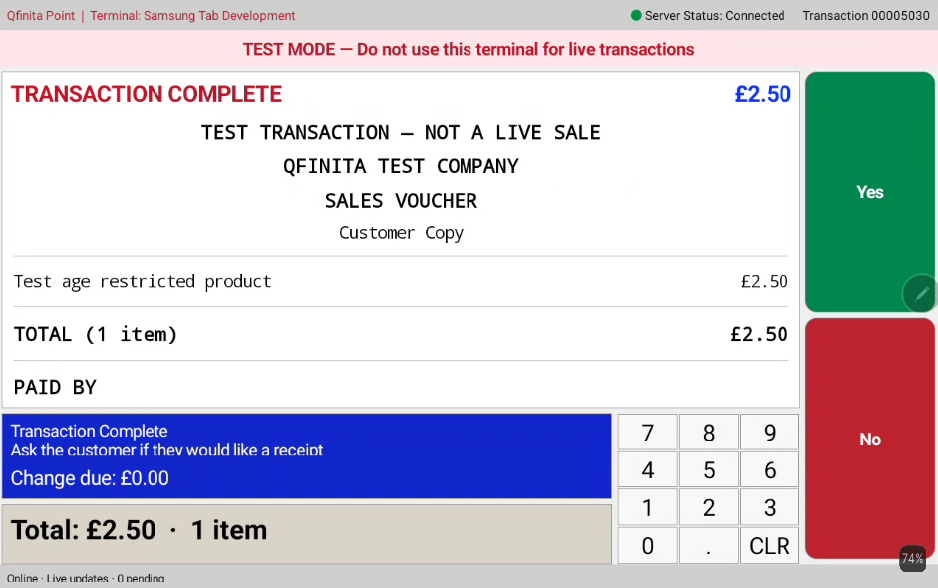
A completed test transaction prompts the colleague to offer a receipt.
View full-size screenshot ↗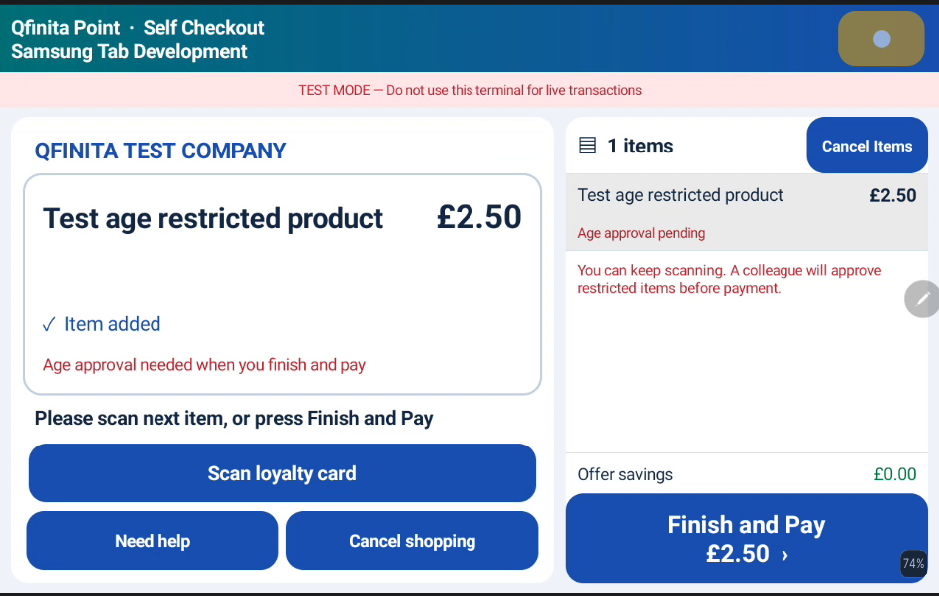
The customer can continue scanning while an age-restricted item awaits approval before payment.
View full-size screenshot ↗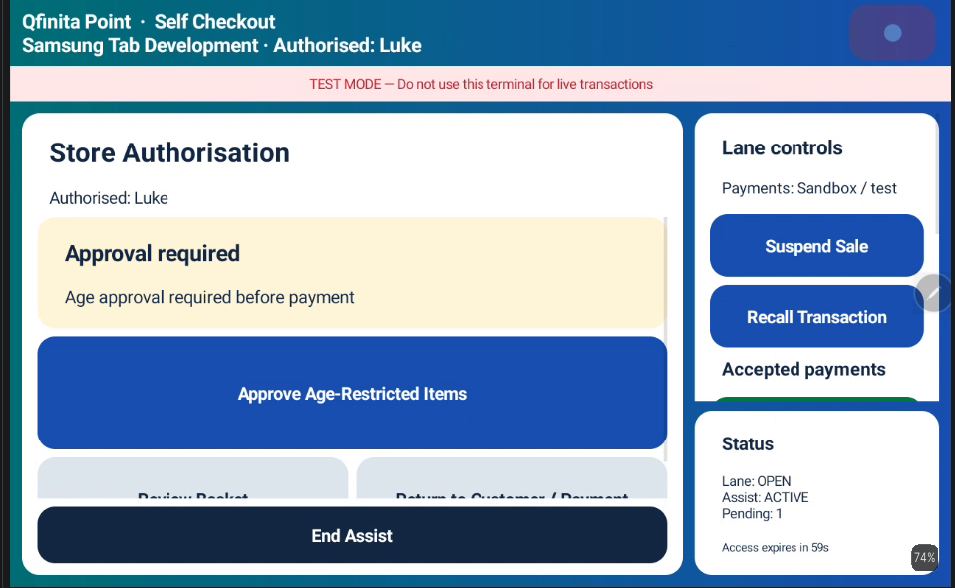
Authorised colleagues can access lane controls and approval requests.
View full-size screenshot ↗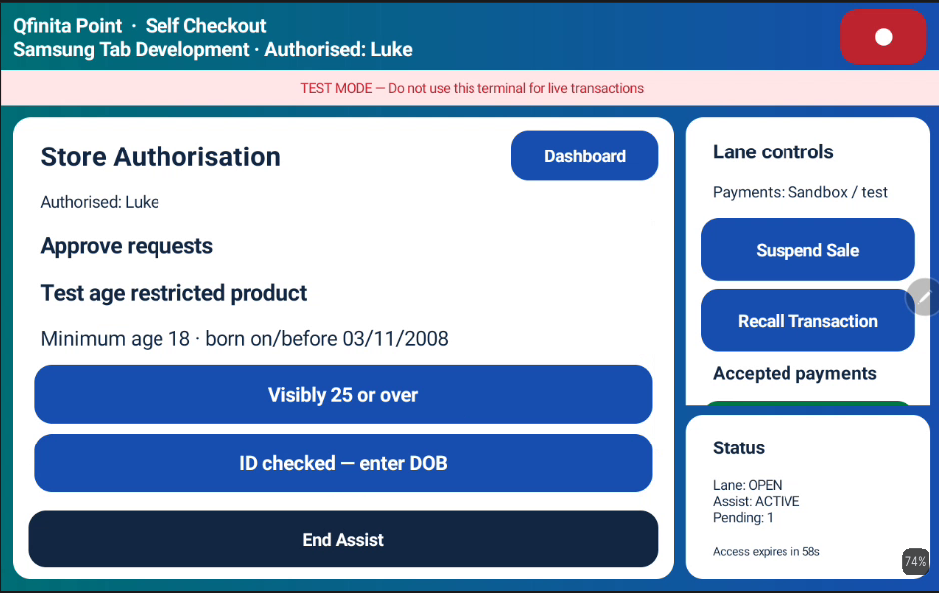
The colleague approval screen for an age-restricted test item.
View full-size screenshot ↗LET’S TALK RETAIL
Explore QPOS for your store, or start an integration conversation.